


Choosing the right laptop as an engineering student in 2026 is not just about price it’s about performance, reliability, and the ability to handle demanding software like AutoCAD, SolidWorks, MATLAB, or programming environments. Unlike regular students, engineering majors need machines that can handle simulations, multitasking, and sometimes even 3D rendering. The good news is that you no longer need to spend $1500+ to get a capable laptop. Today, there are several excellent options under $1000 that deliver strong performance and long-term value if you choose wisely.
One of the most important things to understand is that engineering laptops require a balance between CPU power, RAM, and sometimes GPU performance. At a minimum, you should look for a laptop with at least 16GB RAM, a modern Intel Core i5/i7 or AMD Ryzen 5/7 processor, and SSD storage (512GB or more). These specs are essential because engineering software is resource-intensive and often runs multiple processes at once. According to industry testing, engineering laptops must handle both processor-heavy and graphics-heavy tasks, especially when working with CAD tools or simulations . Choosing anything below these specs may result in slow performance and frustration over time.
Top Laptop Picks (Under $1000)
1. Dell Inspiron 15 (Best Overall Balance)
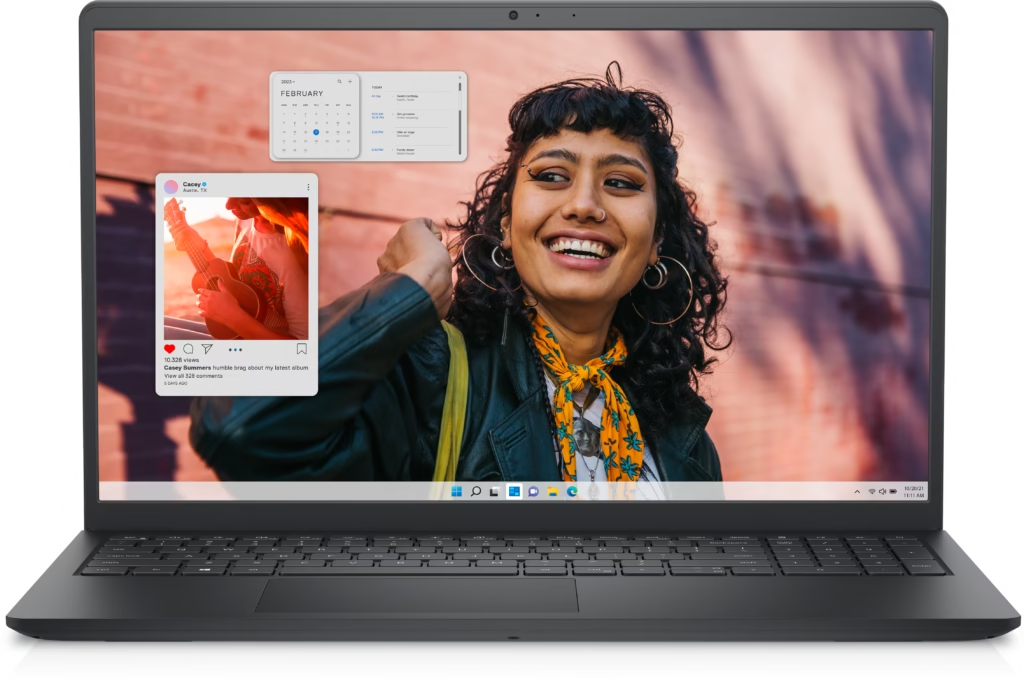
- Intel Core i5 / i7 (13th Gen)
- 16GB RAM
- 512GB SSD
- 15.6” FHD Display
~$700–$900
This is one of the safest choices for engineering students. It offers strong multitasking performance and enough power for coding, simulations, and moderate CAD work. Many configurations under $1000 include 16GB RAM, which is critical for engineering workloads .
2. ASUS Zenbook 14 (Best Portable Option)

- AMD Ryzen 5/7 or Intel Core
- 16GB RAM
- 512GB SSD
- OLED Display
~$800–$1000
The Zenbook is perfect if you want power + portability. It’s lightweight, premium, and still capable of handling engineering tasks. OLED display is a bonus for clarity and design work .
3. Lenovo IdeaPad 5 (Best Value for Money)
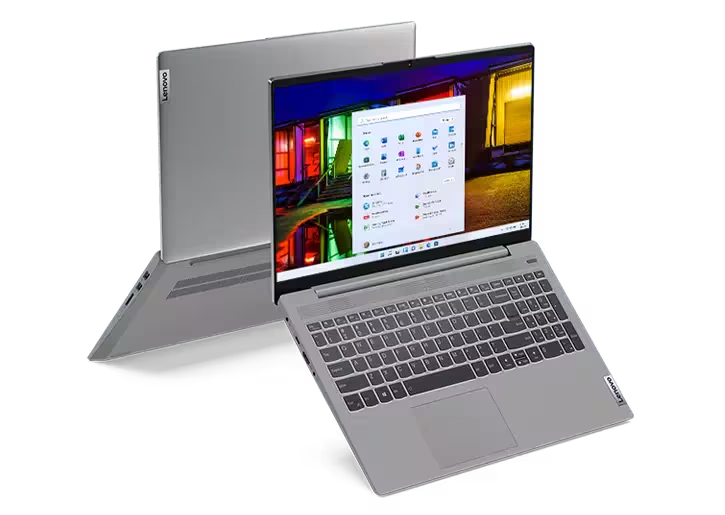
- AMD Ryzen 5/7
- 16GB RAM
- 512GB SSD
~$600–$800
This is one of the best budget-friendly laptops that still performs well. It’s ideal for students who want solid performance without spending too much.
4. Acer Nitro V 16 (Best for Heavy Workloads)

- AMD Ryzen CPU
- NVIDIA RTX GPU
- 16GB RAM
~$800–$900
This is where things get interesting. Gaming laptops like this are actually excellent for engineering, because they include dedicated GPUs. That’s crucial for:
- 3D modeling
- simulations
- rendering
Budget gaming laptops now offer serious performance under $1000, making them strong options for students .
5. HP Pavilion Aero / Envy Series (Best Lightweight Productivity)

- Ryzen processors
- 16GB RAM options
~$600–$900
Great for students who prioritize battery life and portability over raw power. These are better for lighter engineering workloads.
What Engineering Students REALLY Need
Here’s the truth most guides don’t tell you:
Not all engineering students need the same laptop.
If you study:
- Mechanical / Civil Engineering → NEED GPU (Acer Nitro, gaming laptops)
- Software / Computer Engineering → CPU + RAM matters more
- Electrical Engineering → Balanced performance is enough
This is why choosing blindly is a mistake.
Common Mistakes to Avoid
Most students make these mistakes:
Buying 8GB RAM (too little in 2026)
Choosing style over performance
Ignoring GPU when needed
Buying a “cheap” laptop that becomes slow in 1 year
Many budget Windows laptops now offer better specs than entry-level alternatives at similar prices, especially in RAM and storage .
Why You Don’t Need to Spend More Than $1000
This is important.
In 2026, mid-range laptops have improved massively:
- faster CPUs
- more RAM standard
- better battery
- AI-ready chips
This means you can get a powerful engineering laptop without overspending.
Final Recommendation
If you want the safest option → Dell Inspiron 15
If you want portability → ASUS Zenbook 14
If you need power (CAD, 3D) → Acer Nitro V 16
The best laptop for engineering students is not the most expensive one it’s the one that fits your workload.
In 2026, you can get:
strong performance
long battery life
solid build quality
all under $1000.
The key is choosing smart, not expensive.


